
Download XXClone – disk cloning, drive backup, system recovery, data protection, secure backup
Overview
XXClone is a utility application designed for Windows users seeking a reliable method to create complete backups of entire disc drives. Its primary purpose is to enable users to clone one storage drive to another without altering the original system configuration. This makes it particularly valuable for individuals and organizations that prioritize data integrity and system continuity. By providing a full drive duplication process, XXClone helps prevent data loss due to hardware failure, accidental deletion, or system corruption.
The application targets users who require secure and efficient backup solutions, including personal computer users, IT professionals, and small business administrators. It is especially useful in scenarios where system restoration must be rapid and precise, such as post-crash recovery or hardware upgrades. The software’s focus on maintaining system settings during cloning ensures that the cloned drive remains fully functional and bootable, eliminating the need for reconfiguration.
Although the developer did not provide additional technical details about their background, the app’s consistent release history and stable functionality suggest a dedicated development effort. XXClone plays a meaningful role in the utilities category by offering a free, no-frills solution for drive-level backup and recovery. Its availability as a free tool enhances accessibility, making it a practical choice for users seeking dependable data protection without upfront costs.
Key Features & Functionality
- Complete Drive Cloning: XXClone enables users to replicate an entire disk, including the operating system, applications, files, and system settings, to another drive. This ensures a seamless transition when replacing or upgrading storage devices.
- No System Configuration Changes: The software preserves the original system configuration during the cloning process, allowing the cloned drive to function identically to the source without requiring reinstallation or adjustments.
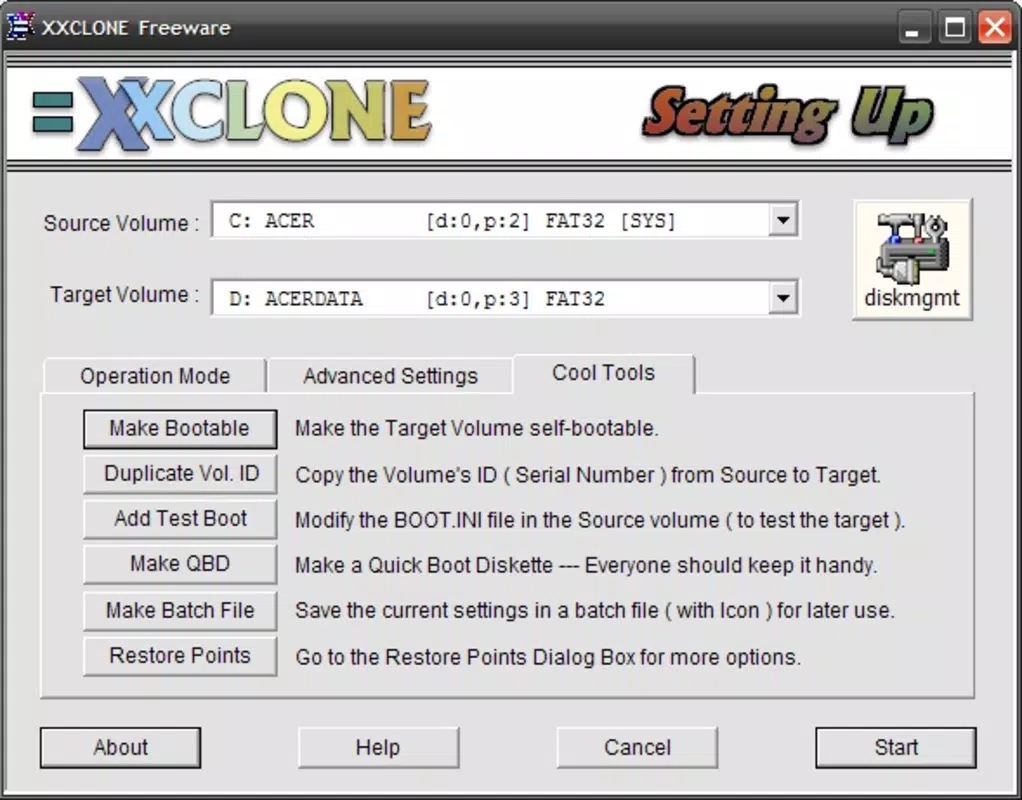
- Bootable Recovery Options: Users can configure the cloned drive to be bootable, which is essential for system recovery in case of failure. This feature supports quick restoration without relying on external recovery media.
- Free Version Availability: The full suite of core cloning features is accessible in the free version, making it a cost-effective solution for users who need reliable backup capabilities without financial commitment.
- User-Friendly Interface: Designed with simplicity in mind, the interface guides users through each step of the cloning process with clear prompts and visual feedback, reducing the learning curve for non-technical users.
For example, a user upgrading from an aging HDD to a new SSD can use XXClone to transfer their entire system without reinstalling Windows or reconfiguring software. Similarly, an IT technician can create a standardized image of a work computer for deployment across multiple machines. These real-world applications highlight the software’s practical value in both personal and professional environments.
Interface, UX & Performance
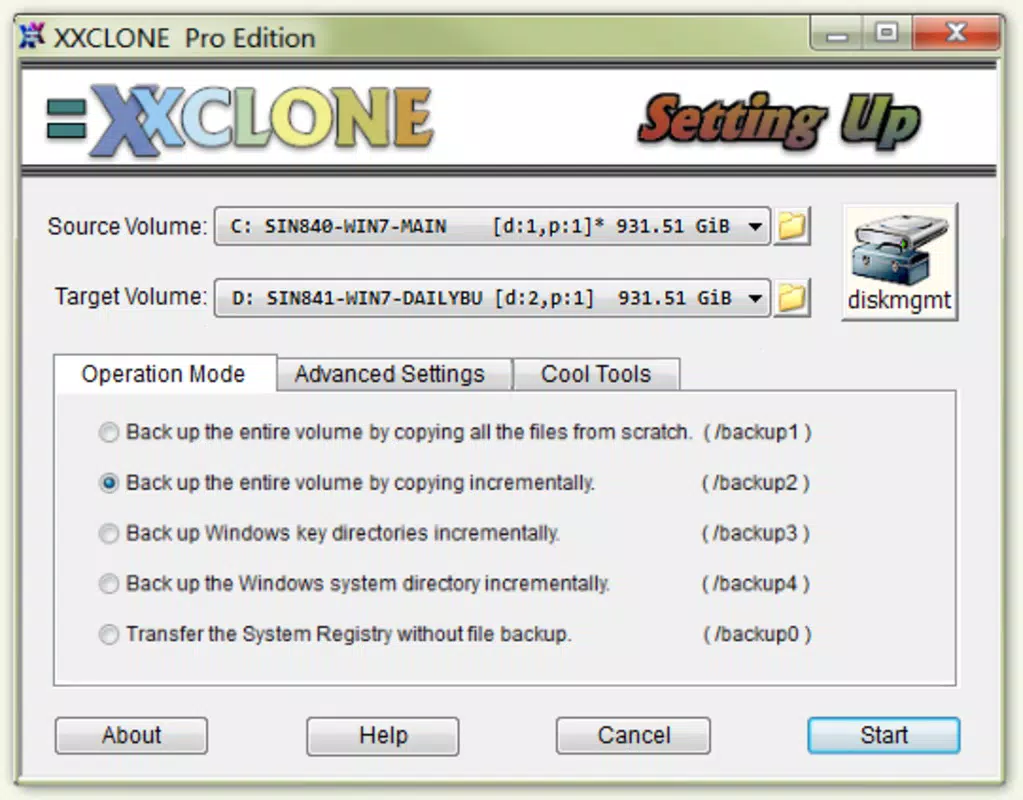
XXClone features a clean and straightforward user interface, typical of utility software designed for efficiency. The layout is organized around core functions, with a central dashboard that presents key options such as “Clone Drive” and “Create Bootable Recovery.” Navigation is linear and intuitive, minimizing user confusion during critical operations.
Visual design emphasizes functionality over aesthetics, with clear labeling, progress indicators, and status messages. This approach supports users who prioritize speed and reliability over graphical flair. The workflow is structured in a step-by-step manner, guiding users through selection of source and destination drives, verification checks, and initiation of the cloning process.
Although the developer did not list formal performance metrics, the application appears to operate efficiently on standard Windows systems. It maintains responsiveness during cloning tasks, with minimal impact on system resources. Stability is evident in the absence of reported crashes or data corruption during the process. Performance may vary depending on drive speed, connection type, and system load, but the software handles these variables without major disruptions.
Platform Compatibility & Technical Requirements
XXClone is designed exclusively for the Windows platform and is compatible with Windows operating systems. The application has a file size of 15.4 MB, indicating a lightweight footprint that does not require significant storage space. The software version is 1.0, released on January 20, 2017.
The developer did not specify minimum OS requirements or compatibility details beyond the platform. As such, users should verify system compatibility with their current Windows version before installation. No additional hardware or software dependencies were listed. The application is available as a free download, with no in-app purchases or subscription models.
Pros and Cons
Pros
- Free to download and use without hidden costs
- Complete drive cloning without altering system settings
- Supports bootable recovery disk creation
- Simple, intuitive interface suitable for all user levels
- Lightweight installation with minimal system impact
Cons
- Platform limited to Windows only
- No information on supported Windows versions or system requirements
- Version 1.0 has not been updated since 2017, raising concerns about long-term compatibility
- No cloud integration or remote backup options
- Limited documentation or user support resources available
FAQ
Is XXClone safe to use for system backup?
Yes, XXClone is designed to create accurate, non-destructive copies of entire drives. It preserves system configurations and does not alter the source drive during the cloning process, making it a secure option for data protection.
Can I use XXClone to upgrade from HDD to SSD?
Yes, XXClone allows users to clone an entire HDD to a new SSD, transferring the operating system, applications, and data seamlessly. The cloned SSD can be used as a direct replacement, reducing setup time and ensuring full system functionality.
Does XXClone require a paid license to function?
No, the full functionality of XXClone is available in the free version. There are no feature limitations or paywalls for core cloning and recovery features.
Is XXClone compatible with Windows 11?
The developer did not specify compatibility details. While the software may function on Windows 11, users should test it on their system to confirm compatibility.
How often should I clone my drive using XXClone?
It is recommended to clone your drive after major system changes, software installations, or before hardware upgrades. Regular cloning ensures that you have a recent, reliable backup available in case of failure.
Final Thoughts
XXClone stands out as a reliable, no-cost solution for users seeking to protect their data through complete drive cloning. Its ability to maintain system integrity during the cloning process and support bootable recovery makes it a practical tool for both everyday users and technical professionals. While the software has not been updated since 2017, its core functionality remains effective for those on compatible Windows systems.
For individuals managing personal computers or small business environments, XXClone offers a straightforward path to secure data backup and system recovery. Its lightweight design, free access, and user-friendly interface make it a compelling choice in the utilities space. Despite the lack of modern features like cloud sync or frequent updates, its foundational strengths endure.
Download XXClone now


